The Impact of Internet Downtime and EMR Outages on Ontario Medical Clinics
In Ontario’s healthcare landscape, medical clinics have come to rely heavily on digital technologies to deliver efficient and high-quality patient care. At the heart of this technological integration is the Electronic Medical Records (EMR) system, which serves as a digital repository for patient information, streamlines administrative tasks, and facilitates communication between healthcare providers. However, the increasing dependence on EMR systems and internet connectivity also makes clinics vulnerable to disruptions. Internet downtime and EMR outages can have significant consequences for clinic operations, patient care, and overall clinic efficiency.

The Role of EMR Systems in Medical Clinics
Electronic Medical Records (EMR) systems are central to the operations of modern medical clinics in Ontario. They provide healthcare professionals with quick access to patient histories, lab results, medication lists, and other critical information. EMRs improve the accuracy of patient records, reduce paperwork, and help ensure compliance with regulatory requirements. Furthermore, they enable better coordination of care by allowing different healthcare providers to access and update a patient’s records in real time.
The Consequences of Internet Downtime
Internet connectivity is essential for the smooth functioning of EMR systems. When an Ontario medical clinic experiences internet downtime, several critical functions are disrupted:
- Access to Patient Records: Without internet access, clinic staff may be unable to retrieve patient records, resulting in delays in care. This can be particularly problematic during emergencies or when patients require immediate attention.
- Appointment Scheduling and Billing: Many clinics use cloud-based software for appointment scheduling and billing. Internet downtime can lead to missed or double-booked appointments, delayed billing processes, and administrative chaos.
- Communication Disruptions: Communication with other healthcare providers, pharmacies, and insurance companies often relies on internet-based platforms. Downtime can hinder this communication, leading to delays in patient care coordination and prescription refills.
- Telemedicine Services: With the rise of telemedicine, reliable internet access has become even more critical. Internet outages can force the cancellation of virtual appointments, affecting patient access to care.
The Impact of EMR Outages
While internet downtime is disruptive, an EMR system outage can be even more detrimental. When an EMR system goes down, the following issues may arise:
- Loss of Access to Critical Patient Information: An EMR outage can prevent healthcare providers from accessing vital patient information, such as allergies, current medications, and past medical history. This can compromise the quality of care and increase the risk of medical errors.
- Delay in Care: Without access to EMR, healthcare providers may need to revert to paper records or manual documentation, slowing down patient care and increasing the likelihood of errors.
- Data Loss and Recovery Challenges: In some cases, EMR outages can result in data loss, particularly if the system is not regularly backed up. Recovery of lost data can be time-consuming and costly.
- Compliance and Legal Risks: EMR systems help clinics comply with legal and regulatory requirements for record-keeping and data protection. An outage that leads to lost or inaccessible records could expose clinics to legal risks and penalties.
Mitigating the Risks
To minimize the impact of internet downtime and EMR outages, Ontario medical clinics can implement several strategies:
- Backup Systems: Clinics should invest in robust backup systems, including local servers that can operate independently of internet connectivity. Regular backups of EMR data can prevent data loss and ensure that information is recoverable in the event of an outage.
- Redundant Internet Connections: Having a secondary internet connection, such as a mobile hotspot or a backup internet service provider, can help maintain connectivity during outages.
- Emergency Protocols: Clinics should develop and regularly update emergency protocols for handling internet and EMR outages. This includes training staff on how to document patient information manually and how to access essential records during an outage.
- Regular System Maintenance: Regular maintenance and updates of EMR systems and network infrastructure can reduce the likelihood of outages and improve system reliability.
- Vendor Support Agreements: Establishing support agreements with EMR vendors can ensure that technical issues are addressed promptly, minimizing downtime.
Conclusion
While internet downtime and EMR outages can disrupt the operations of Ontario medical clinics, proactive measures can mitigate these risks. By investing in backup systems, redundant internet connections, and robust emergency protocols, clinics can protect themselves against the potential consequences of these disruptions. Ensuring reliable access to EMR systems and internet connectivity is essential for maintaining the high standard of care that patients in Ontario expect and deserve.
Echoplex Brings CHIME to Queen Square Doctors
Modern primary care clinics are under constant pressure to do more with less — more patients, more coordination, more complexity, without adding space or staff. At Queen Square Doctors (QSD) in Brampton, Ontario, those challenges were very real. With a large, high-volume practice serving tens of thousands of patients, even small inefficiencies had a noticeable impact on staff workload and patient experience.
That’s where Echoplex Healthcare Solutions stepped in.
The Challenge at Queen Square
Queen Square Doctors is a well-established, busy primary care clinic with a large team of physicians, nurses, and administrative staff. As patient volumes grew, so did operational strain. Front desk congestion, manual patient flow management, and inefficient room utilization were creating bottlenecks throughout the day.
The clinic wasn’t looking to expand its footprint or dramatically increase staffing. Instead, they needed a smarter way to manage what they already had.
Why CHIME?
CHIME is a clinic orchestration platform designed to manage patient flow, room usage, and staff coordination in real time. Rather than relying on manual processes, phone calls, or hallway coordination, CHIME provides visibility across the entire clinic — from patient arrival to checkout.
Echoplex worked closely with Queen Square Doctors to deploy CHIME in a way that fit their existing workflows, ensuring minimal disruption while maximizing impact. The implementation included patient self-check-in, live clinic status displays, and centralized dashboards that allowed staff to make informed decisions quickly.
Implementation with Purpose
Echoplex’s role went beyond installation. The focus was on planning, configuration, and change management — aligning CHIME with how QSD actually operates day to day. This included:
- Mapping real clinic workflows before deployment
- Training staff to confidently use the system
- Ensuring privacy, security, and compliance expectations were met
- Supporting the clinic through the transition period
The project was also supported through Ontario’s Innovating Digital Health Solutions (IDHS) program, helping bring proven digital health innovation into a community practice setting.
Real Results, Quickly
Within months of going live, Queen Square Doctors began seeing measurable improvements:
- Reduced front-desk congestion through patient self check-in
- Better utilization of exam rooms and clinical staff
- Less reliance on manual “runner” roles to move patients
- Improved staff efficiency and predictability throughout the day
Early analysis showed significant cost savings and a strong return on investment, but just as importantly, staff reported smoother workflows and less day-to-day friction. One clinic leader described CHIME as the most impactful operational improvement the clinic had ever made.
Building Capacity Without Expanding
What makes the Queen Square implementation stand out is that the clinic was able to increase efficiency and capacity without expanding physical space or hiring large numbers of additional staff. By orchestrating people, rooms, and time more intelligently, CHIME helped QSD focus on what matters most — patient care.
A Model for Other Clinics
For Echoplex, the success at Queen Square Doctors reinforces a simple idea: technology works best when it’s implemented thoughtfully, with a deep understanding of clinical realities. CHIME isn’t just software — it’s a tool that, when deployed correctly, can meaningfully improve how clinics operate.
As more healthcare organizations look to modernize without adding complexity, the Queen Square project serves as a practical example of what’s possible.
https://help.chimeclinic.com/case-studies/implementing-chime-at-qsd
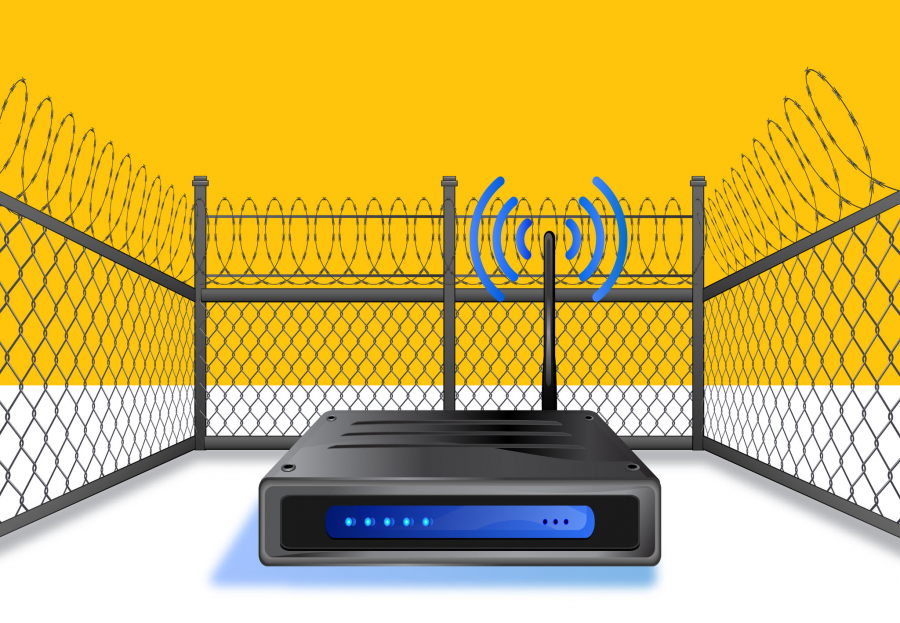
Secure Your Clinics Wireless Access With These 8 Changes
1. Use WPA2 or WPA3 but not WEP encryption
WPA2 has become the industry standard. If you access your router settings you’ll likely see 4 options: Wired Equivalent Privacy (WEP), Wi-Fi Protected Access (WPA), version 2 (WPA2), and version 3 (WPA3). As the oldest, WEP encryption is somewhat out of date. WPA2 is the industry standard. WPA3 covers up some security gaps in WPA2.
2. Disable WPS, uPnP, and NAT-PMP
WPS stands for Wi-Fi Protected set-up. It’s essentially administrative access for your router. Someone simply needs to look at some settings on your router. With a snapshot of the numbers on your router, they have a free pass to your wi-fi network. This essentially lets them bypass any password you set up and get right onto your network. If possible, avoid routers that support WPS as they can be a beacon to enterprising hackers.
UPnP and Nat-PMP are essentially the same things. UPnP, or Universal Plug-n-Play, was developed by Microsoft and Nat-PMP, or NAT Port Mapping Protocol, was developed by Apple. These essentially allow for universal plug-n-play, which gives devices access to your Wi-Fi network. This setting gives devices a free pass to your network. The problem is that these devices can be hacked. Even light bulbs can be hacked. These three settings all give access to your network and while they can make setting up a new device easier, it also makes hacking you much easier too.
3. Disable WAN Administrator Access
WAN stands for Wide Area Network (WAN). WAN Admin settings can allow for remote management or for a remote admin. This allows someone to remotely access your router. This is another opportunity for someone to find their way onto your router and potentially make changes to lock you out. The more control you have over your router the better. After all, you don’t need some disgruntled Time Warner employee stealing your identity because of a simple setting.
4. Change SSID Name
This is a general part of the router setup. You’ll want to give your router a name. But it’s best to try and keep it from being easily identified as you. Avoid using your name, address, the router brand, and of course the system default. You’ll also want to avoid anything too provocative like listing the FBI, NSA, or something that might make you a target. We can often ignore Wi-Fi networks in our rush to connect to the Internet. But cybercriminals get off on combing the net looking to start trouble or scam some cash. The lower profile and harder to crack your network name, the better.
5. Change the Default WiFi Password
Your Internet technician will likely not want to take the extra few minutes to help you change this. But some Wi-Fi passwords are defaults that are way too easily found out. If you leave your router with the default password it’s more likely someone can find the password and get onto your network vs. it remaining completely safe. Over time, this information can find its way online, on the dark web, or become part of a breach. You might not even know that you were hacked. In 2020, a hacker leaked passwords for more than 500,000 servers, routers, and IoT devices.
6. Make Admin Password Different than the WiFi Password
Password safety 101 is to never use the same password twice. In general, you don’t want an account with admin access to have the same password as what you use for general use. This can be accounts on your computer, log-ins for your clinic, and even your Wi-Fi. Since you may end up deep diving to be able to change all of these, be sure to figure out how to ensure that the administrator password is different from your standard network password. You wouldn’t want everyone who uses your Internet to be able to change vital privacy settings.
7. Configure a Guest Network
If this setting is an option, it can be a security game-changer. By configuring a guest network you ensure that only you know your Wi-Fi password. You can create a guest network or login that’s strictly for strangers. You can also use this for setting up devices and anything you think might put your network at risk. Restricting who has your password is a major part of Wi-Fi safety. It may not seem so when you share it with house guests and friends, but that information can be used to get onto your network. With the popularity of IoT devices, you may want to have them on their own guest network to keep security gaps from putting our network at risk.
8. Enable Automatic Firmware Updates
Ensure you’ve enabled automatic updates on your router’s firmware. If not, you might miss valuable security patches and other protective updates. If you can not set this to automatically update, you should check for updates monthly. When you do update, be sure you double-check all the settings each and every time you install a firmware update. They may default to changing for less aware users but those changes can up your risk factor.
We all need the Internet. Setting up your router can be the first of a long list of things when you move or start a new clinic. That stress can keep you from important changes that you should change to have the most secure network you can. Thinking defaults are fine or listening to a harried technician can make you vulnerable to all the cybercriminals, lurkers, and hackers who are hoping you opt for the default settings.
Elevate Your Clinic’s Productivity: Why LibreOffice Should Be Your Next Office Suite

In the fast-paced world of healthcare, where precision, collaboration, and cost-effectiveness are critical, the choice of office suite plays a pivotal role in streamlining clinic operations. LibreOffice, an open-source office suite, emerges as a compelling solution that brings a host of benefits to the healthcare table. Here’s why your clinic should consider LibreOffice for its next office suite:
1. Cost Efficiency: Healthcare budgets are carefully managed, and LibreOffice offers a cost-effective alternative to proprietary office suites. As an open-source solution, it comes with a price tag that won’t break the bank, allowing your clinic to allocate resources where they matter most—patient care.
2. Interoperability and Compatibility: Collaboration is the cornerstone of effective healthcare delivery. LibreOffice ensures seamless interoperability with other office suites, facilitating easy sharing and collaboration on documents. This compatibility is crucial for maintaining consistency in data exchange with other healthcare providers.
3. Privacy and Security: Patient confidentiality is a top priority in healthcare. LibreOffice prioritizes privacy and security, offering robust encryption options and secure handling of sensitive information. With its open-source nature, the software benefits from continuous scrutiny and improvement by a global community, enhancing its security features.
4. Tailored to Clinic Needs: Every clinic has unique requirements when it comes to document management. LibreOffice’s open-source nature allows for extensive customization. Tailor the office suite to meet your clinic’s specific needs, whether it’s creating templates for medical records, invoices, or appointment schedules.
5. Cross-Platform Accessibility: Clinic workflows are diverse, with professionals using different devices and operating systems. LibreOffice is a cross-platform solution, ensuring that your clinic’s staff can access and collaborate on documents seamlessly, whether they are using Windows, macOS, or Linux.
6. Feature-Rich Applications: LibreOffice comprises a suite of robust applications, including Writer for word processing, Calc for spreadsheets, and Impress for presentations. These applications provide a comprehensive set of features, rivaling those of proprietary office suites, empowering your clinic to handle a wide range of document needs.
7. Community Support and Continuous Development: LibreOffice benefits from a thriving community of users and developers dedicated to its improvement. Regular updates and ongoing support ensure that the software remains current and responsive to the evolving needs of clinics. By choosing LibreOffice, your clinic becomes part of a collaborative ecosystem committed to innovation.
Download LibreOffice Now and Transform Your Clinic’s Document Management: Download LibreOffice
Conclusion: In the realm of healthcare, where precision and efficiency are paramount, the choice of office suite can significantly impact clinic operations. LibreOffice stands out as a cost-effective, secure, and customizable solution that aligns seamlessly with the unique needs of healthcare providers. By adopting LibreOffice, your clinic not only enhances document management but also contributes to the global community driving open-source innovation in healthcare. Download LibreOffice today and elevate your clinic’s productivity to new heights.
Echoplex Forges Strategic Partnership with Bell Canada, Elevating Offerings as a Value Added Partner
CAMBRIDGE, ONTARIO, November 1, 2023 — Echoplex, a leading player in Healthcare ICT Solutions, proudly announces its latest milestone as it joins forces with Bell Canada as a designated Value Added Partner. This collaboration marks a significant step in expanding Echoplex’s service portfolio, offering clients a comprehensive suite of telecommunications solutions.
The partnership positions Echoplex to deliver a range of cutting-edge services, including Mobility, Business Fax Lines, SIP Trunking, Business Internet Service, Business Internet Dedicated (BID), Private Networks (IPVPN / EI / Wavelength), and Managed Services (SD-WAN / WAN / LAN / WiFi). This strategic alignment with Bell Canada enhances Echoplex’s ability to meet the diverse needs of businesses seeking robust and scalable telecommunications solutions.
“At Echoplex, we are dedicated to providing our clients with the highest quality services and solutions. Partnering with Bell Canada as a Value Added Partner aligns perfectly with our commitment to excellence,” said Gary Chisholm, Chief Technology Office at Echoplex. “This collaboration empowers us to offer an extended range of services, ensuring that our clients benefit from the latest advancements in telecommunications technology.”
As a Value Added Partner, Echoplex gains access to Bell Canada’s cutting-edge infrastructure and expertise, enabling the delivery of innovative solutions tailored to meet the unique requirements of businesses across various industries. Clients can now leverage Echoplex’s enhanced service offerings to optimize their communications infrastructure, streamline operations, and stay ahead in an ever-evolving digital landscape.
This partnership underscores Echoplex’s dedication to staying at the forefront of industry trends and providing unparalleled value to its clients. The company looks forward to the positive impact this collaboration will have on its clients’ business operations and overall connectivity.
For further information about Echoplex and its partnership with Bell Canada, please contact:
Echoplex at 1-888-858-3246

About Echoplex: Echoplex is a healthcare-focused information communications technology provider dedicated to delivering innovative and reliable solutions to clinics of all sizes. With a commitment to excellence, Echoplex empowers its clients to stay connected, streamline operations, and thrive in the digital health era.